PDF LENS
Scan · Convert · Sign

Your phone, a private PDF toolbox.

Scan documents with a smart frame, recognize text and tables, convert to Word and Excel, merge, compress and sign PDFs. Everything runs on your device.

Coming soon to the App StoreSee what it does

For iPhone · No account · No uploads · 3-day free trial
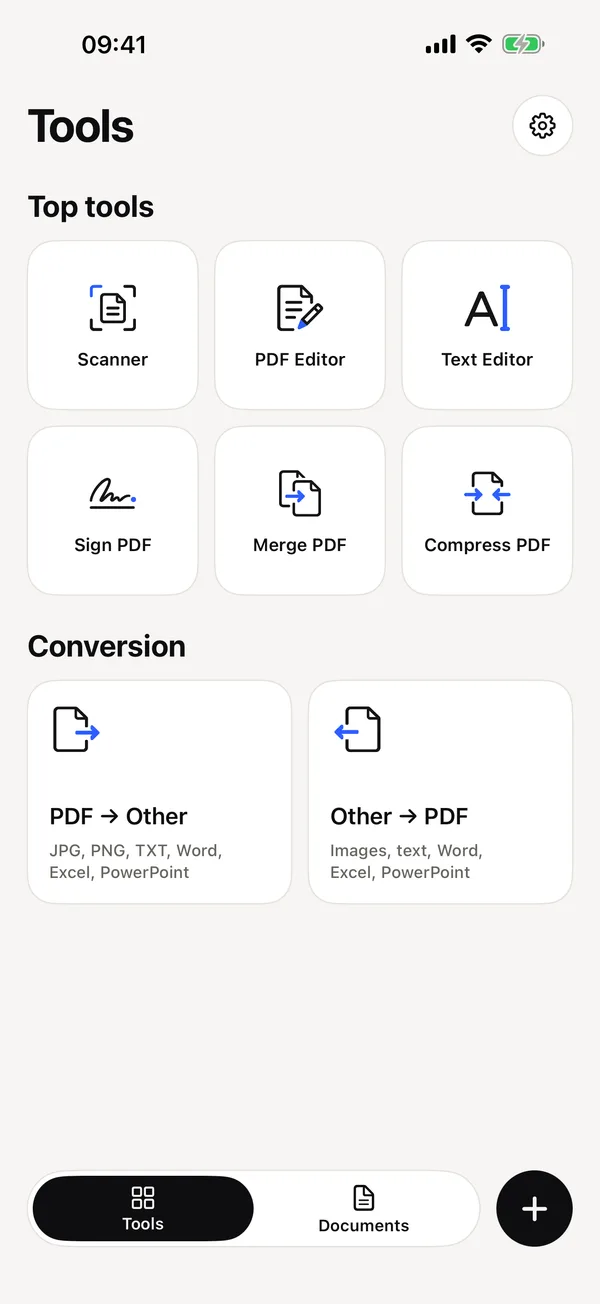
PDF LENS tools screen
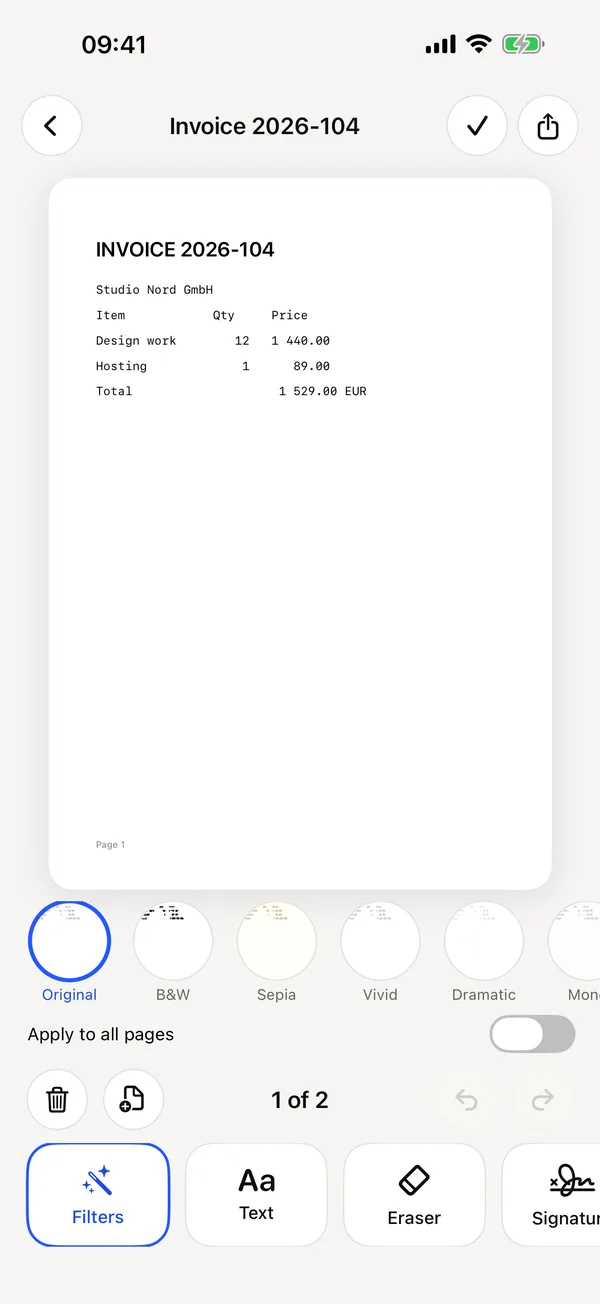
PDF LENS PDF editor

Everything you do with documents

Fast, simple and private. No account needed.

Scan

Smart frame

  • Finds your document and follows it live
  • Auto-capture, multi-page scans, flash and filters
  • Document, business card, QR, whiteboard, timestamp, table and OCR modes
Recognize

Text and tables

  • Extract text from photos and PDFs (OCR)
  • Turn tables into XLSX or CSV
  • Read QR codes and save business cards to Contacts
Convert

Any direction

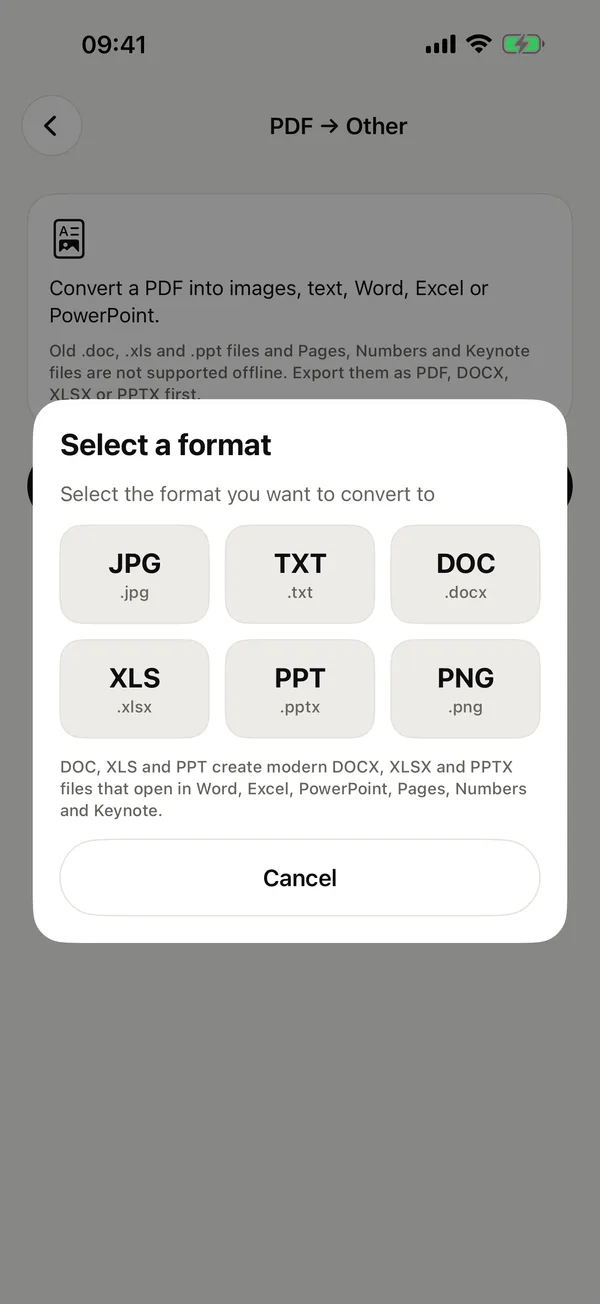
  • PDF to JPG, PNG, TXT, Word, Excel and PowerPoint
  • Images, text, HTML, Markdown, CSV and Office files to PDF
Edit

Right on the page

  • Filters, text, eraser and pencil
  • Merge PDFs and reorder pages
Compress

Smaller files

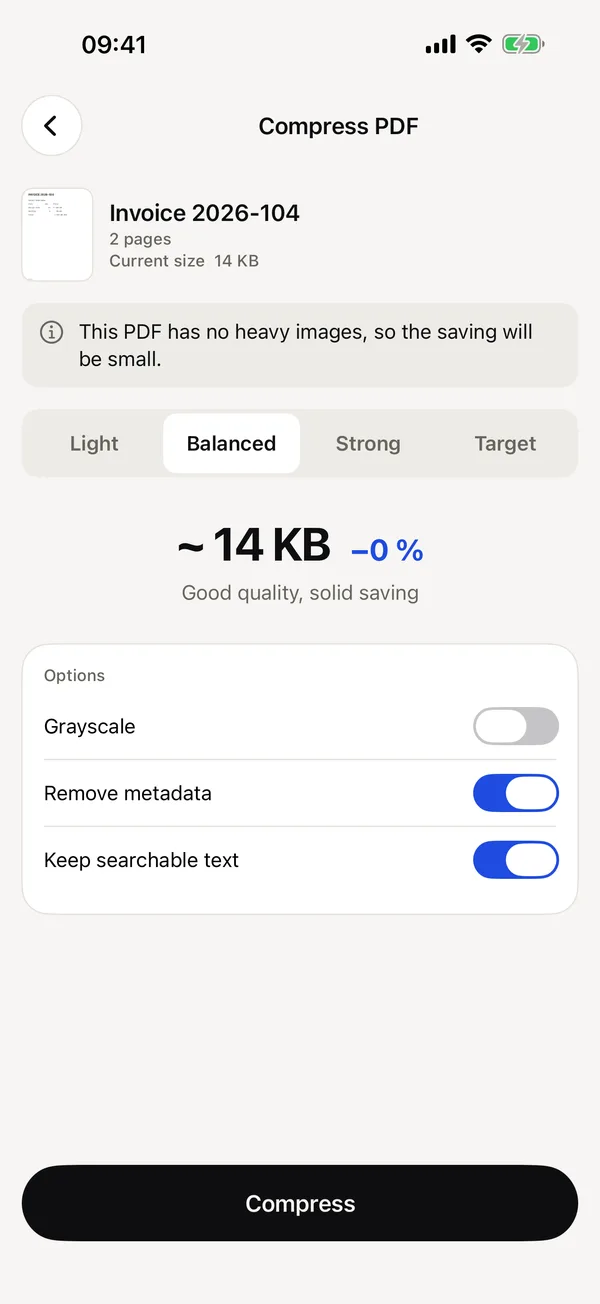
  • See the size estimate before you save
Sign

Sign in seconds

  • Draw, type or import your signature

A look inside

Clean, quick and easy to use.

PDF LENS: Tools: scanner, editor, sign, merge, compress
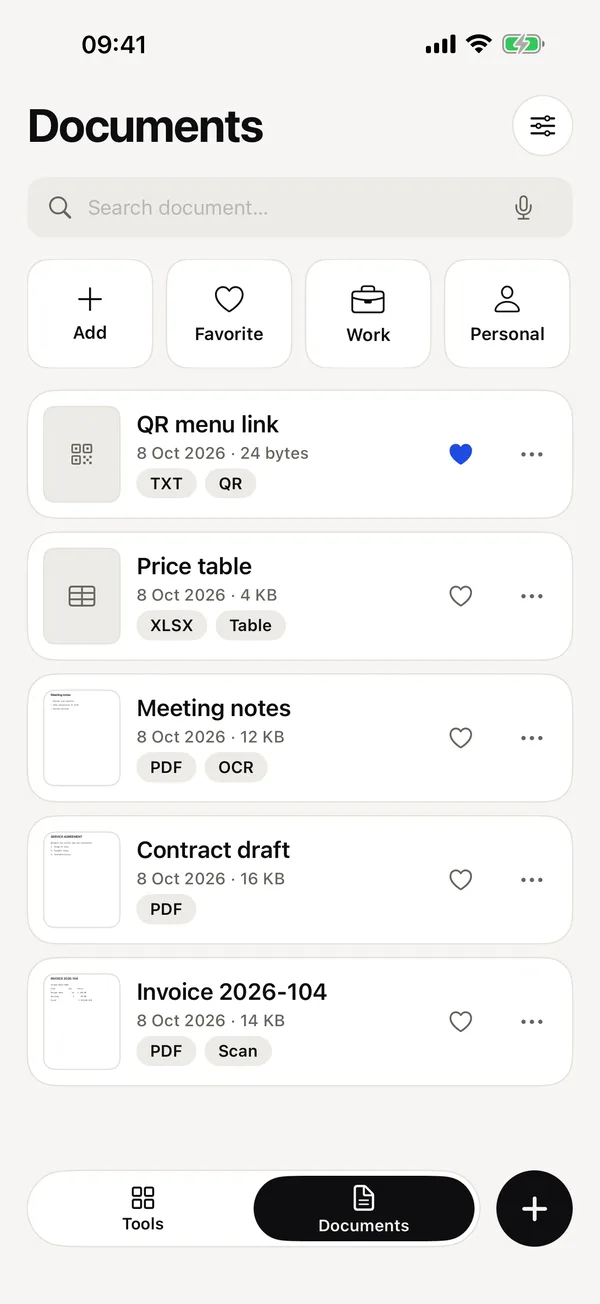
PDF LENS: Your documents
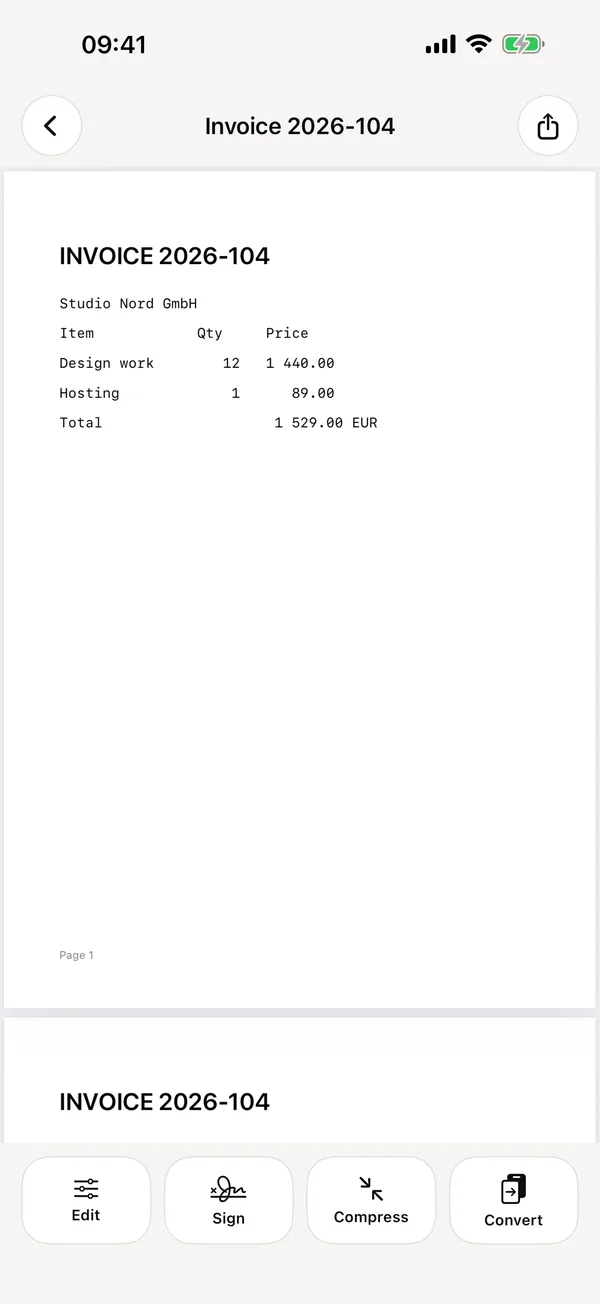
PDF LENS: PDF viewer
PDF LENS: Compress with size estimate
PDF LENS: Edit and sign
PDF LENS: Convert PDF to Word, Excel and more

Private by design

Scans and conversions happen on your device. Your documents are never uploaded and the app needs no account.

Read the Privacy Policy

PDF LENS requires a subscription after a 3-day free trial. Weekly and Yearly plans renew automatically unless cancelled at least 24 hours before the end of the period. Manage in Settings → Apple Account → Subscriptions.